Your login email address and the mailbox your user account is connected to, do not have to be the same. You could have a login email address of seand@advisercrm.co.nz but the mailbox you are connected to, can be admin@advisercrm.co.nz
You can change the mailbox that you are connected to anytime, but you will need to understand that any email synced with the previous mailbox will not show in Adviser CRM, because we sync the mailbox, we do not store permanent copies.
You will need to deactivate/disconnect your current mailbox
How to deactivate your current mailbox
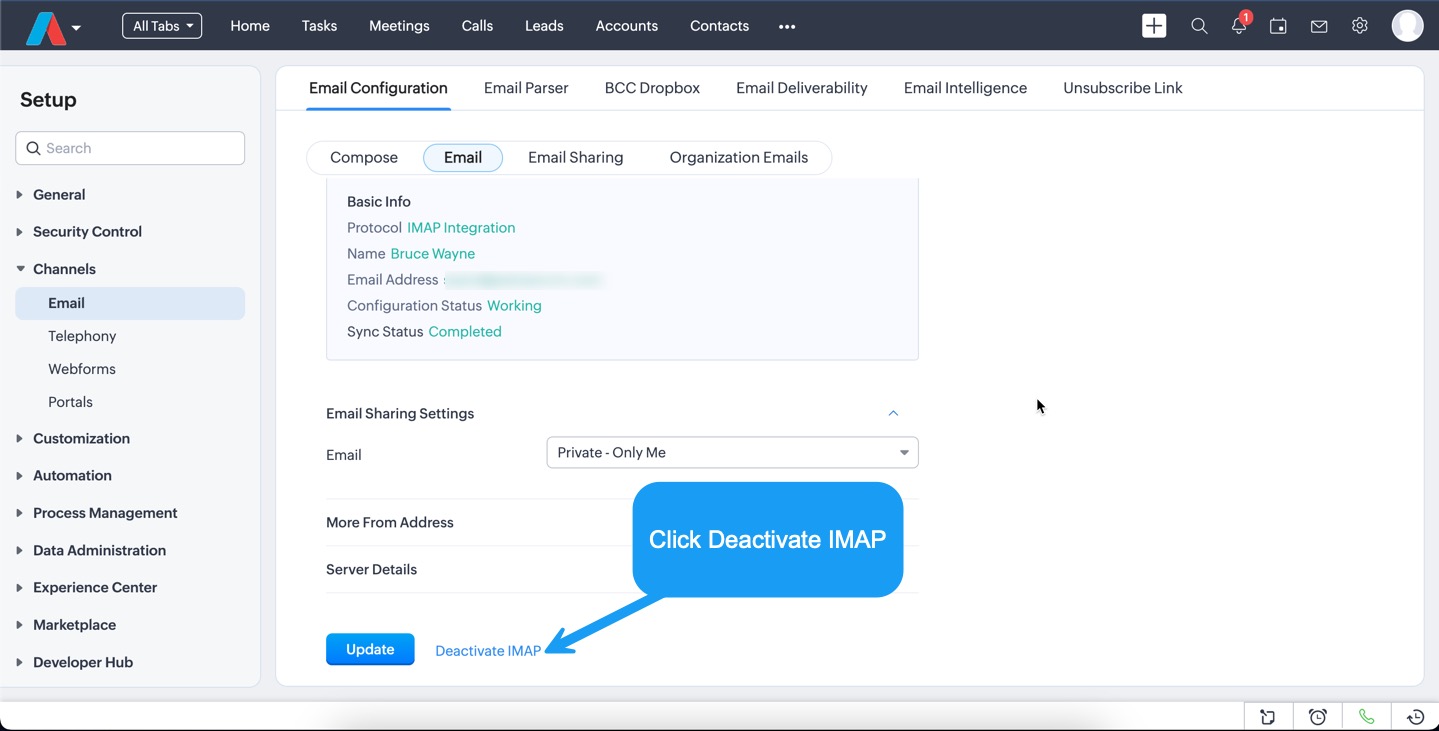
1. Go to Setup > Channels > Email > Email (sub menu, see screenshot below)

2. Scroll to the bottom of the screen and click Deactivate
Connect your new Mailbox
Connect Microsoft 365
Connect Google Gmail/G-Suite
Was this article helpful?
That’s Great!
Thank you for your feedback
Sorry! We couldn't be helpful
Thank you for your feedback
Feedback sent
We appreciate your effort and will try to fix the article